Code Coverage
GnuCOBOL can instrument your programs so they can generate coverage information at runtime. To enable this feature, you can set the forCoverage setting to true in the Superbol: build (debug) task in your tasks.json file. This flag instructs the extension to pass the --coverage flag to the cobc compiler.
Coverage Information
Generated coverage files are in gcov format; they are portable, and you can use them as you would any other coverage file generated for programs written using other programming languages.
Highlighting Coverage Information
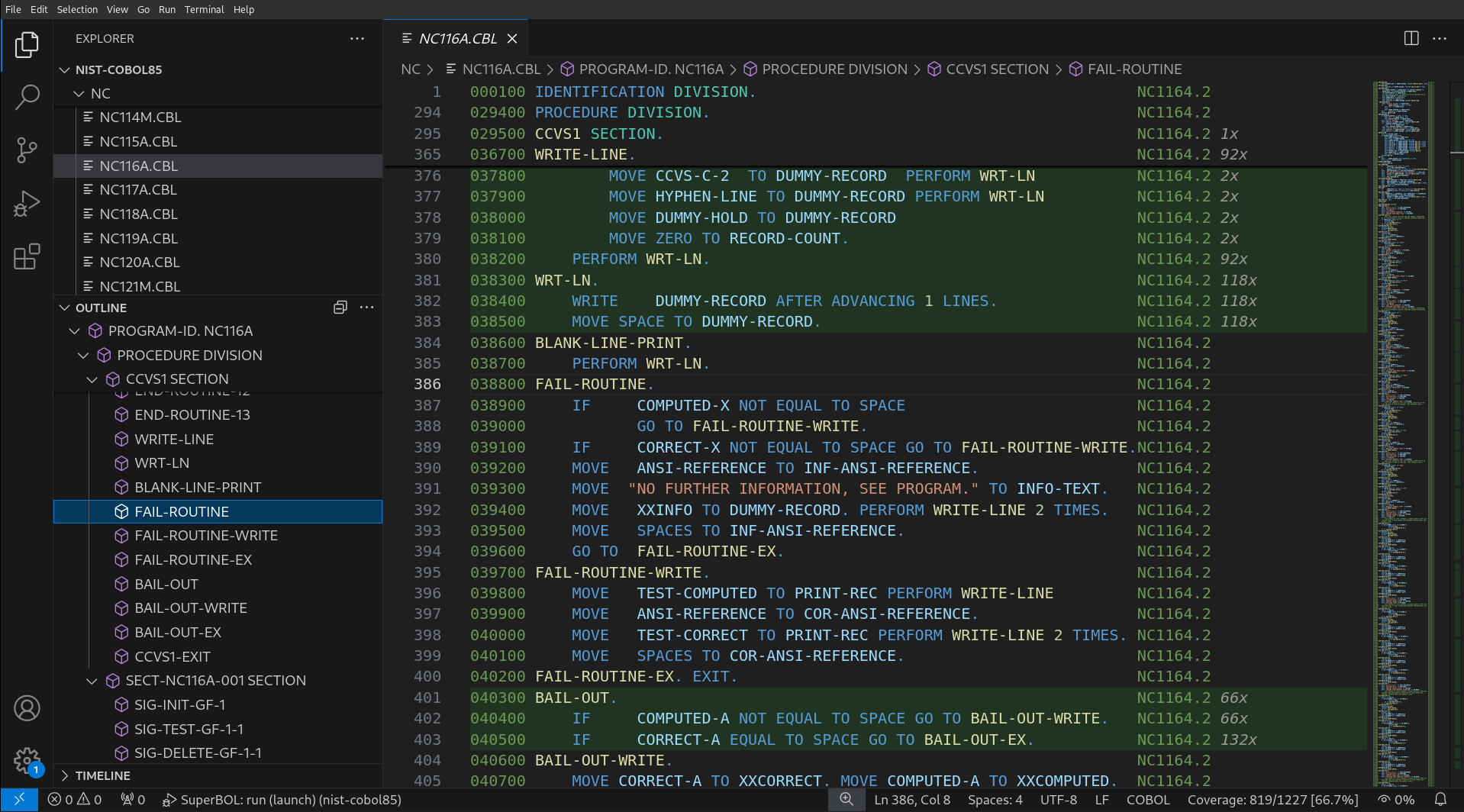
Coverage data can be shown after the execution of a program that was compiled to generate this information terminates. SuperBOL will display coverage on a line-by-line basis, by highlighting the lines of your source code using colors that represent their coverage status. To enable coverage highlighting, you can open the command palette (or type Ctrl+Shift+P), and select SuperBOL: Show Coverage. You can also hide the highlighting with the command SuperBOL: Hide Coverage, and update it after re-executing your program with SuperBOL: Update Coverage.