Using Vscode in General
Navigating through Warnings and Errors aka Problems
Problems (errors and warnings) are not always as visible as we would want. You should probably install an extension to improve their display, typically the “Error Lens” VSCode extension) that displays errors as inline messages in the source code.
You can also use the following shortcuts:
Ctrl+Shift+M: go to the first problem, and display the “Problems” tab, showing the list of all problems found. You can use arrow keys to navigate the problems.
F8: go to next problem in file
Shift+F8: go to previous problem in file
Some users like to use other shortcuts, for example because F8 is already used for something else.
For that:
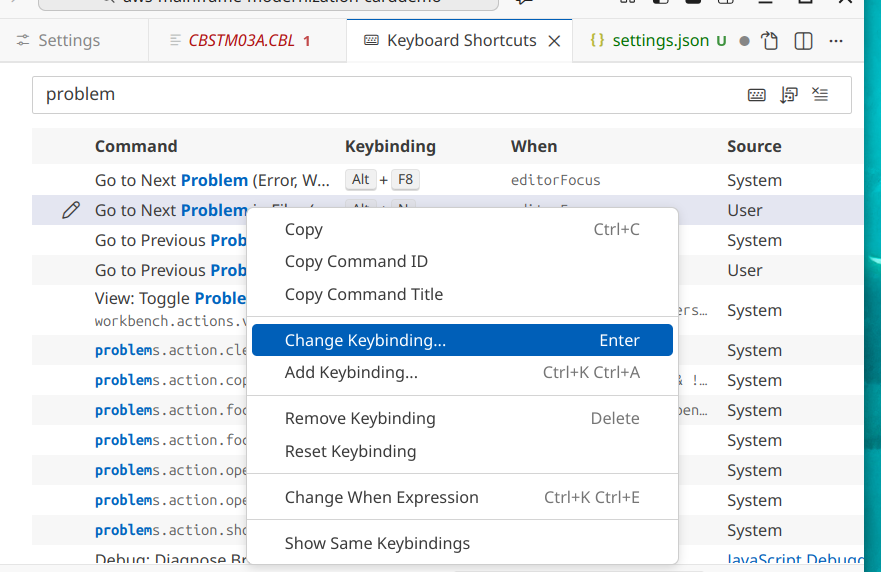
Open the “Keyboard Shortcuts” by typing successively Ctrl+K Ctrl+S
Type “Problem” to display related shortcuts
Click on the shortcut you want to edit, and use “Change Keybinding” to propose a new binding
For example, in our case, we will use Alt+N for “Go to Next Problem in Files”
Switching between Light and Dark Themes
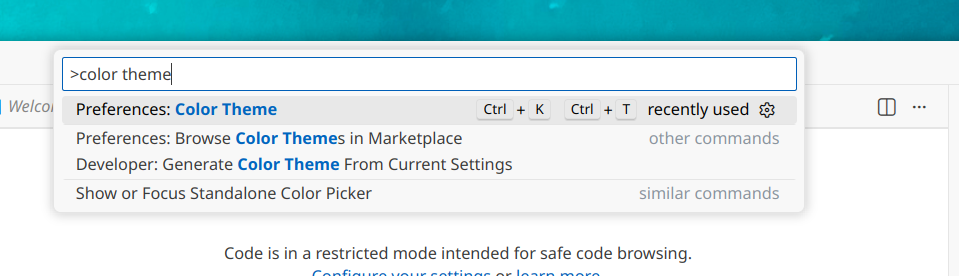
- Open the Command Palette with CTRL + SHIFT + P
- Type “Color Theme”.
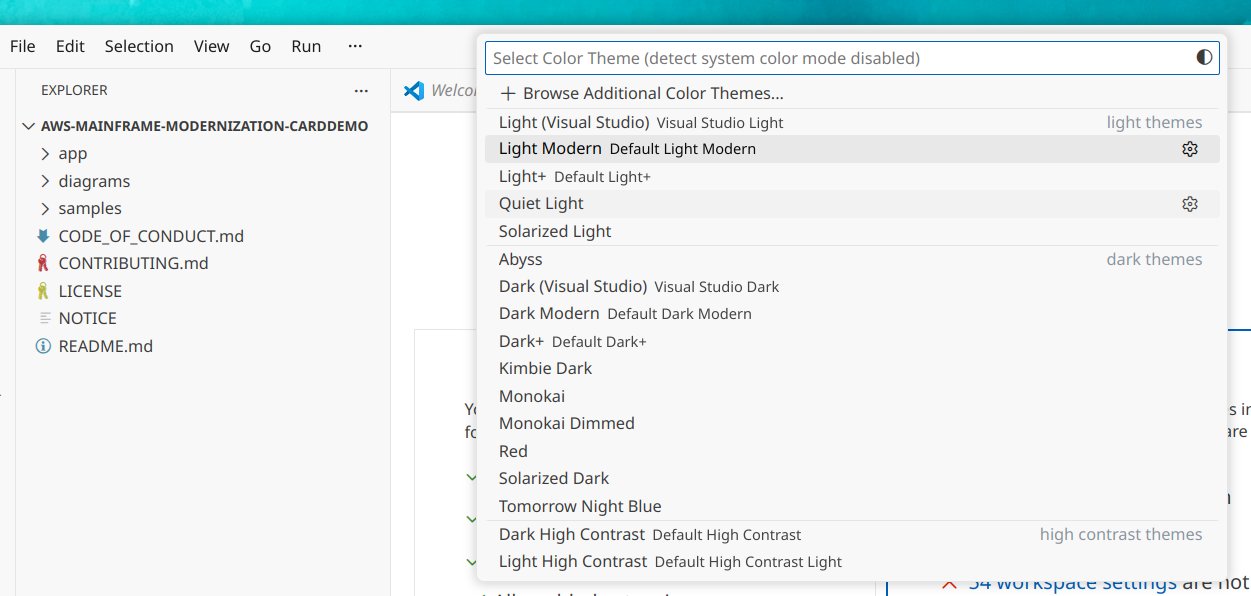
- Select Preferences: Color Theme from the dropdown.
- Choose a color theme, typically the Dark modern or Light modern.
The “Do you trust the authors” popup
When entering a new project, you always get the following popup:
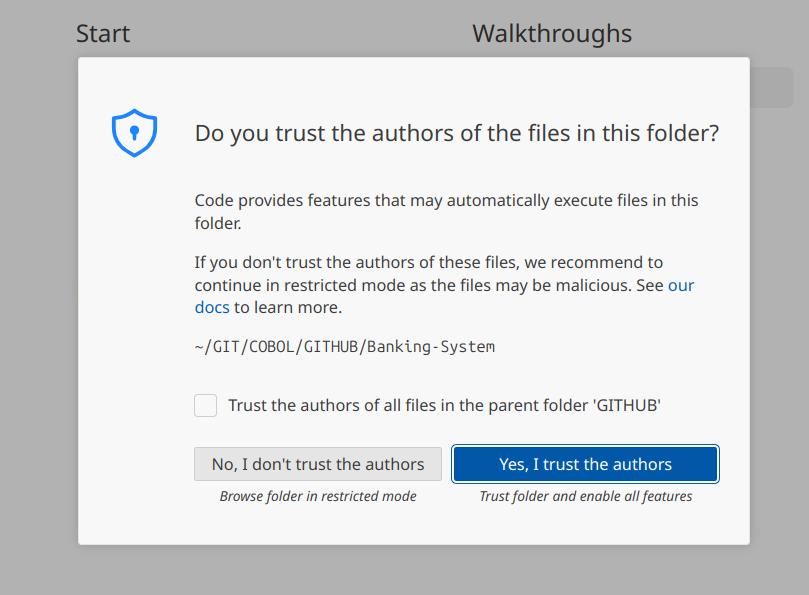
To use SuperBOL Studio extension, you need to reply “Yes, I trust the authors”.
If you reply “No, I don’t trust the authors”, Vscode enters a Restricted Mode, where:
Extensions are disabled: Most extensions that actually do things (like debuggers, linters, or language servers for Python/C++) will be turned off. This prevents a malicious workspace from using an extension to run a script in the background.
Tasks are blocked: Any automation you’ve set up in .vscode/tasks.json (like your make command for Pandoc) will be disabled. VS Code won’t run them because it doesn’t know if the command is safe.
Debugging is disabled: You cannot launch the debugger, as this requires executing the code in the workspace.
Workspace Settings are ignored: Some settings defined specifically for that folder (in .vscode/settings.json) will be overridden by your global user settings to prevent the folder from “hijacking” your editor’s behavior.
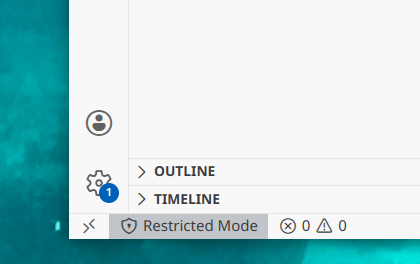
If you replied “No”, you will see a “Restricted Mode” button in the bottom left corner, click on it and select the “Trust” box to change it.