Debugging Programs
Debugging
In order to debug a COBOL program, you first need to run a build task with appropriate debug options. Once this is done, you can launch the compiled program in a debugging session.
[!NOTE]
We recommend that a version of GnuCOBOL that is at least as recent as version 3.2 be available on the system running VS Code. Debug and coverage features respectively assume that gdb and gcov are installed.
On Windows systems, users may employ dedicated installers that are available here. Linux users may rely on their favorite package manager and install
gnucobol.
Running a Build Task for Debugging
After having opened the program to debug, select Terminal > Run Build Task… (Ctrl+Shift+B), and then SuperBOL: build (debug).

SuperBOL: build (debug)Launching the Compiled Program for Debugging
If needed, you can place a breakpoint on statements (or paragraph titles in the procedure division) by clicking on the red dot that appears when you hover the cursor on the left margin (or with F9). Click on the red dot or press F9 again to remove a breakpoint. Then, to launch the program in debug mode, select Run > Start Debugging (F5). This will run your program until a first breakpoint if reached, or to completion.
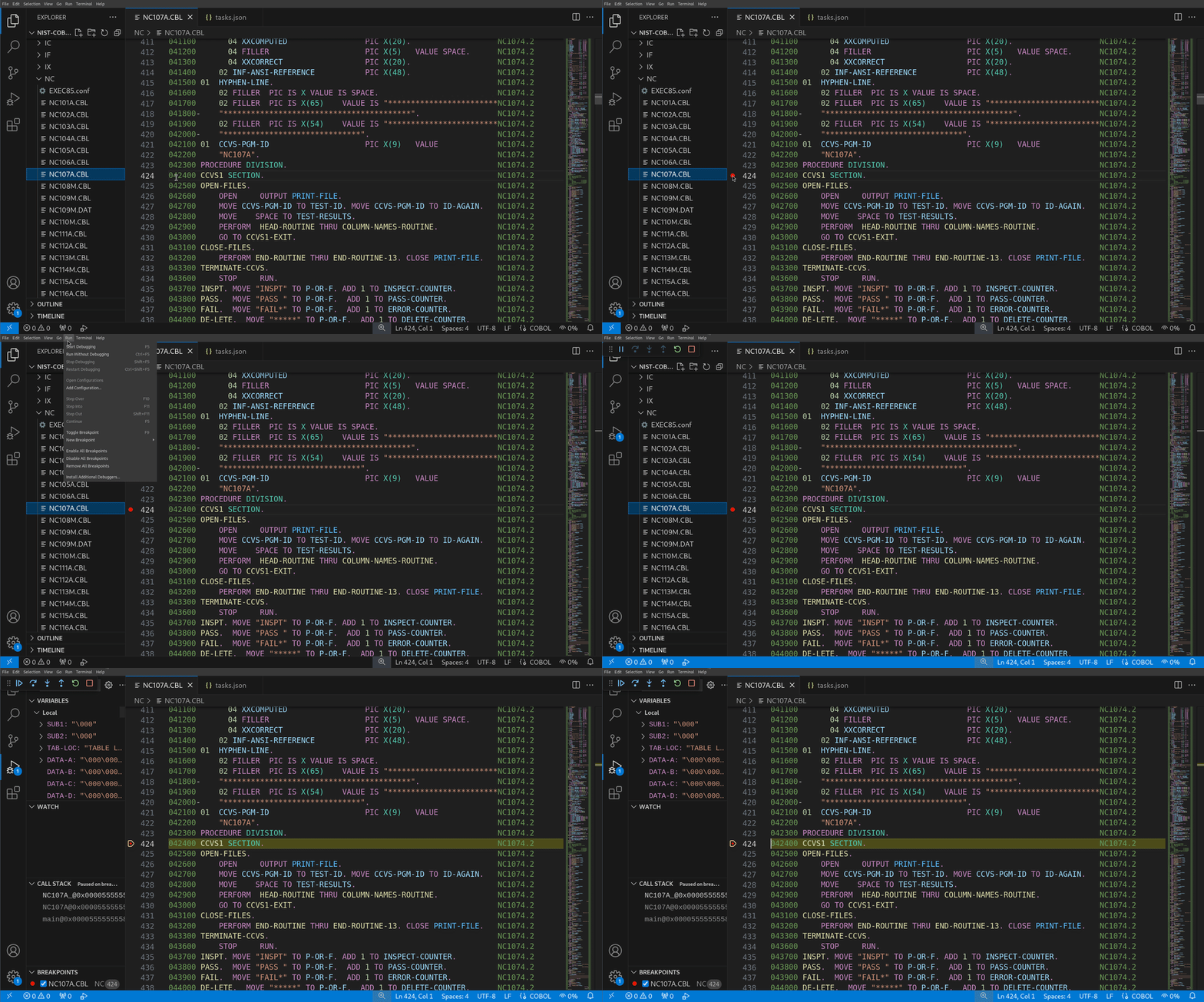
Once stopped on a breakpoint, you can investigate the values of data items from the program using the VARIABLES panel on the left-hand side.
Press F10 to step to the next statement, or F5 again to continue until the next breakpoint, or termination of the program.
Customizing Build Tasks
To customize a build task, you can select Terminal > Configure Default Build Task…, and then SuperBOL: build or SuperBOL: build (debug) (the latter being the task that is run whenever you start a debugging session, e.g with F5).
Save the tasks.json as shown. Definitions for this task notably include a forDebug flag, that instructs the compiler to insert debug annotations into generated executable files (this effectively passes flags -ftraceall and -g to cobc). The extraArgs setting can be edited to pass additional arguments to cobc.
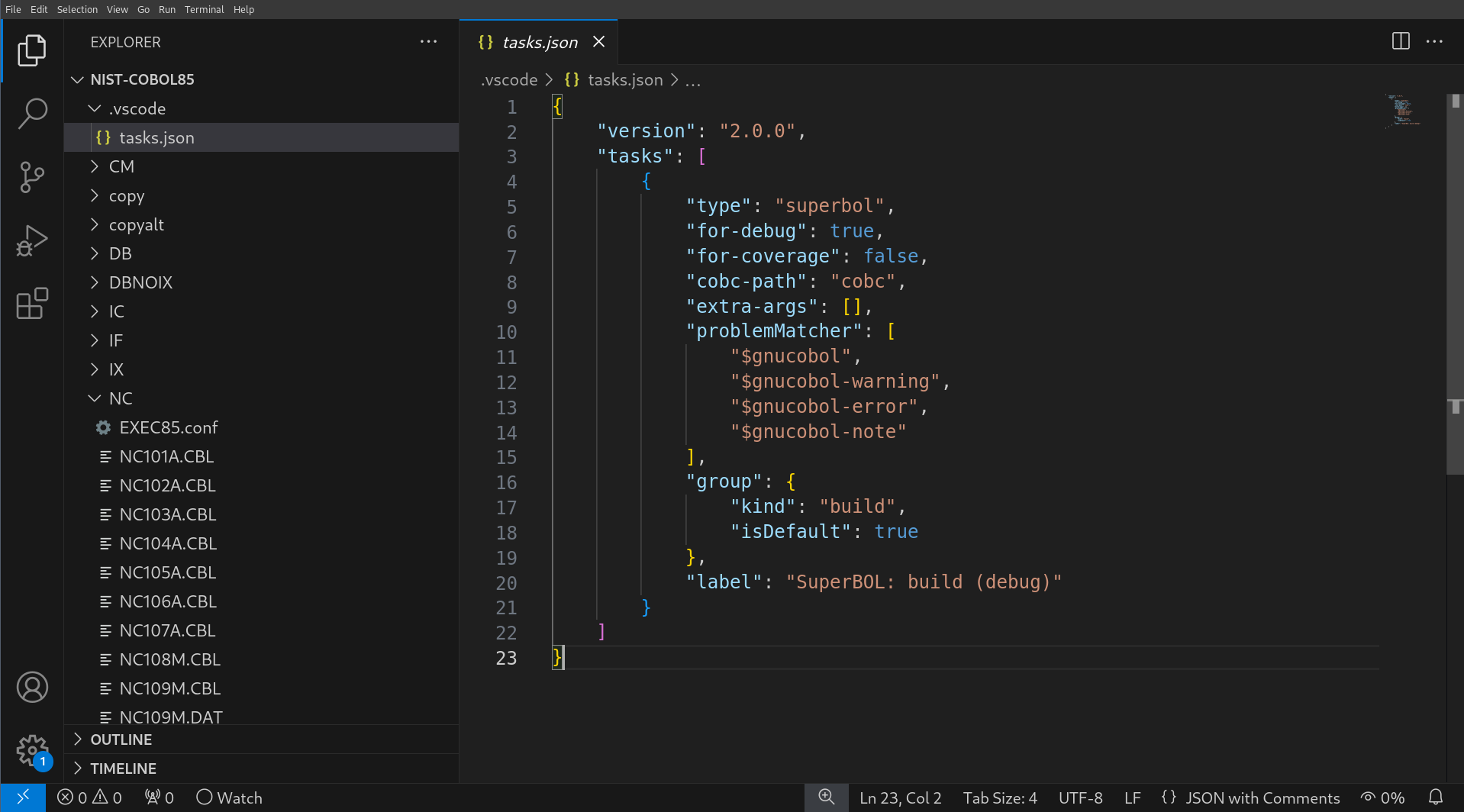
tasks.json for debug