Control-Flow Visualization
Exploring the Control-flow
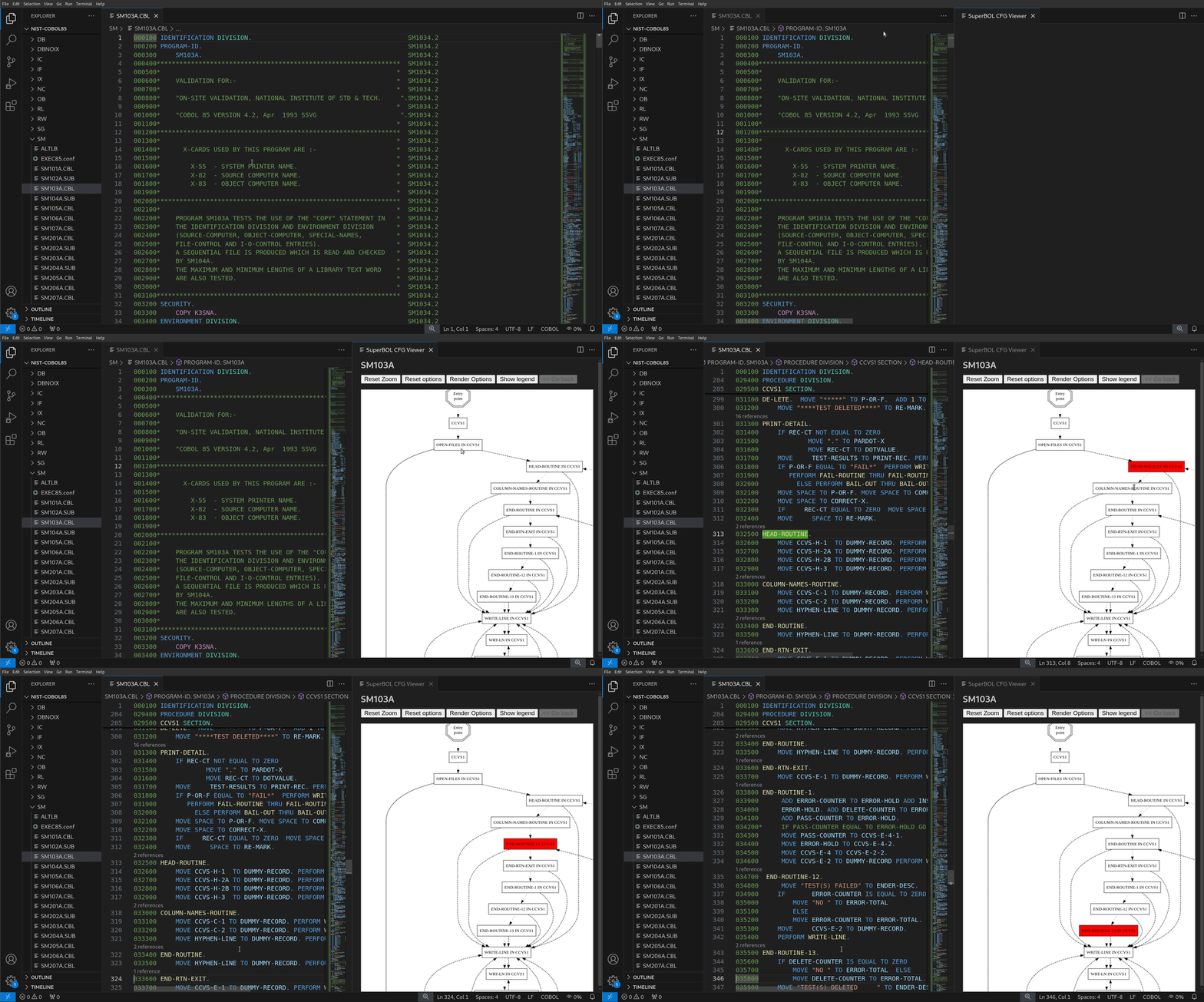
Navigating a graphical representation of a COBOL program’s control-flow proves invaluable when it comes to decipher its overall logic. To do this, open the command palette (or type Ctrl+Shift+P), and select SuperBOL: Show Control-flow (you can also right click and select Show Control-flow in the menu). You are then presented with a list of portions of program to consider (either the entire program, or individiual sections): select one element to see the corresponding CFG.
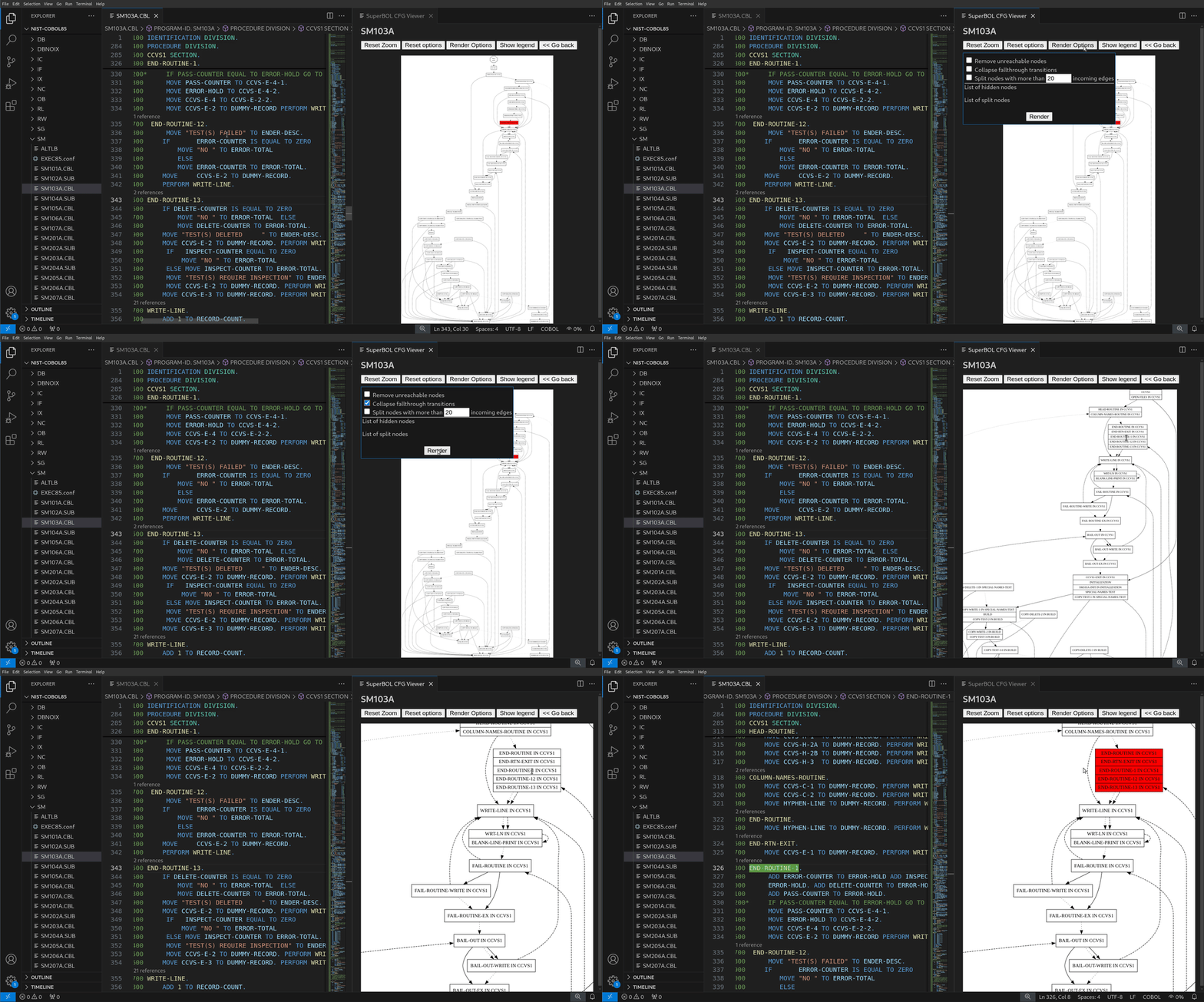
Various settings are provided to tune the rendering of CFGs.
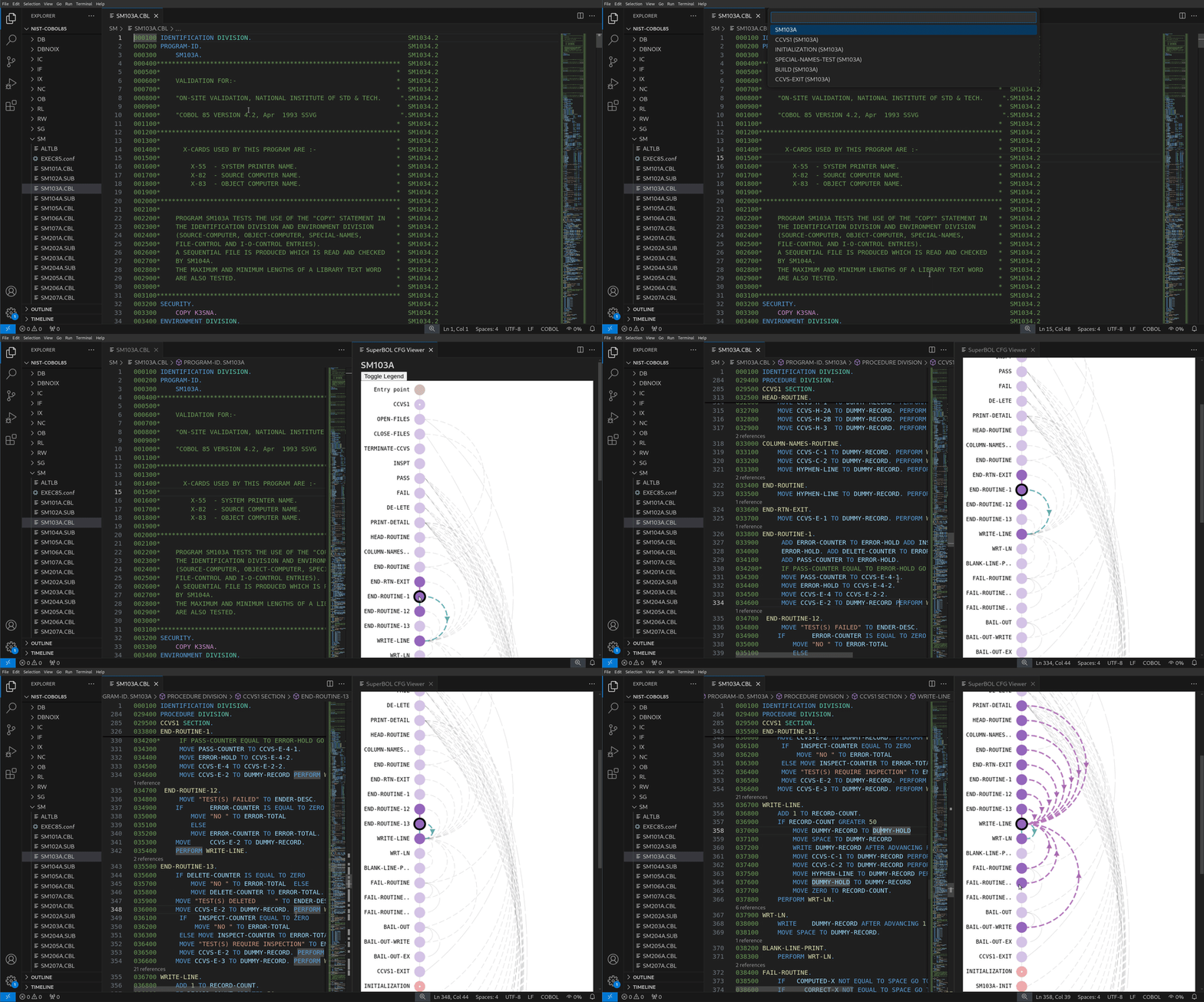
CFG as an arc diagram
A rendering of CFGs as arc diagrams is also available. In this representation, named sections and paragraphs are laid out vertically, and arcs show the direction of control-flow between them.