Installation
You can install SuperBOL Studio either directly from within VSCode (using the extensions marketplaces), or via a downloaded VSIX file.
Installation within VSCode
This is the easiest way to install SuperBOL Studio, directly from within VSCode. With this way, you will install the official versions of SuperBOL Studio only. Depending on your version of VSCode, the extensions come either from Microsoft VSCode Marketplace or from the Open-OSX repository, managed by Eclipse Foundation.
Follow these steps:
- Click on the “Extensions” icon in the activity bar on the left-hand side, or press Ctrl+Shift+X.
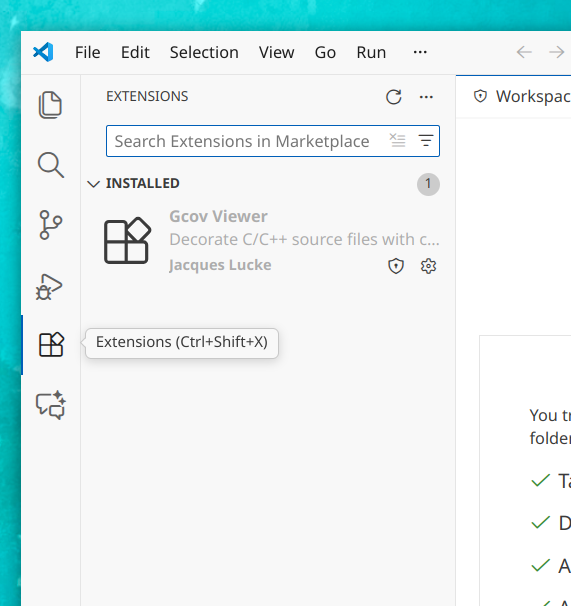
- Search for “superbol”
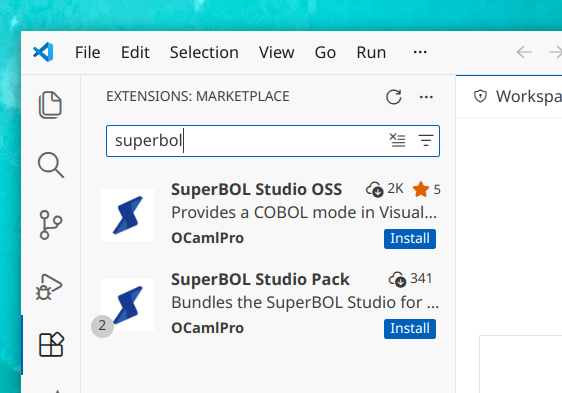
- The first items that should appear will be:
- SuperBOL Studio OSS: the extension that you want to install to use SuperBOL Studio
- SuperBOL Studio Pack: an extension that contains the “SuperBOL Studio OSS” extension, together with other third-party extensions
- Click on the
Installbutton on one of these two extensions - The extension will install itself, and the “Install” button should turn into a configuration wheel button
You can find further instructions for installing extensions directly within VSCode on this page.
Installation via a downloaded VSIX file
This is the way to use if you want to install an unofficial version of SuperBOL Studio, typically a test version with beta features, or a version compiled from the sources on Github.
Follow these steps:
- Check the location of the extension file on your computer. It should come as a single file with the .vsix extension
- In VSCode, go to the the “Extensions” view
- In the sidebar, click on the three dots (
...) on the top right-hand side (just abovesearch),
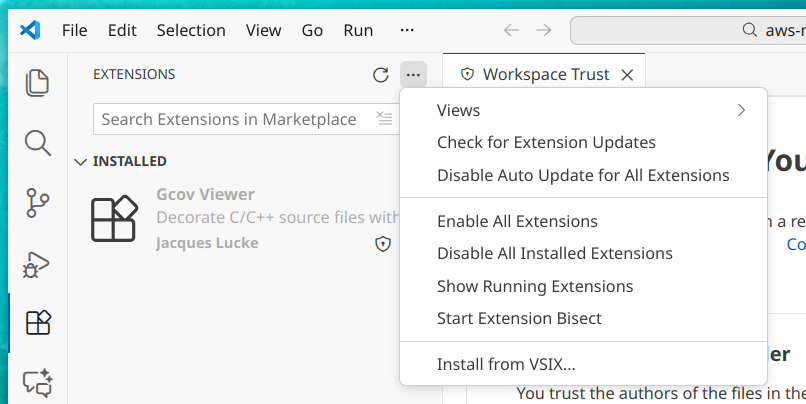
Select
Install from VSIX…, and a dialog box should appearPick the VSIX file on your disk, and click Install
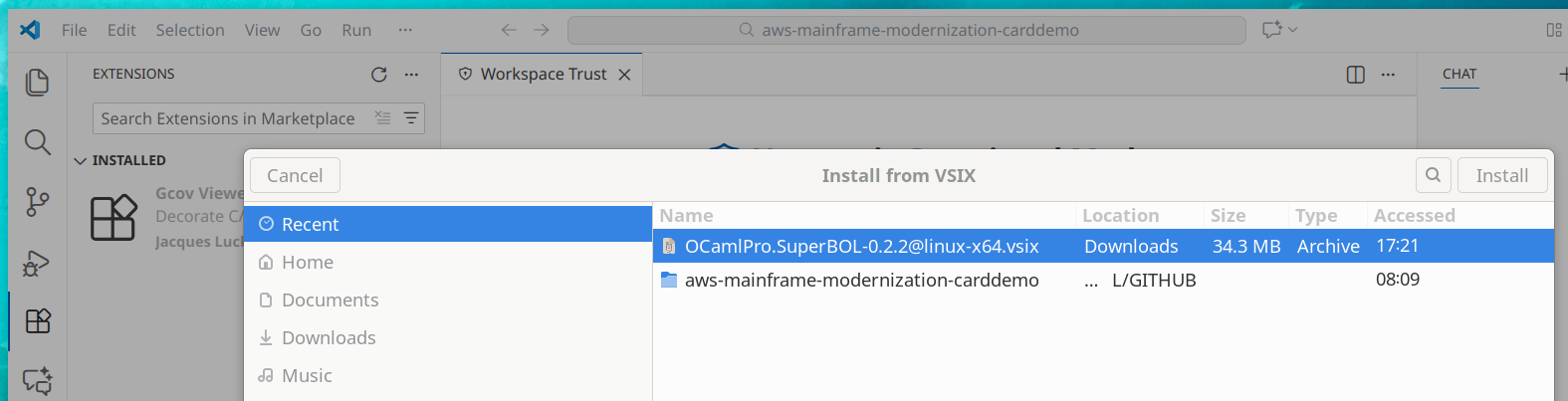
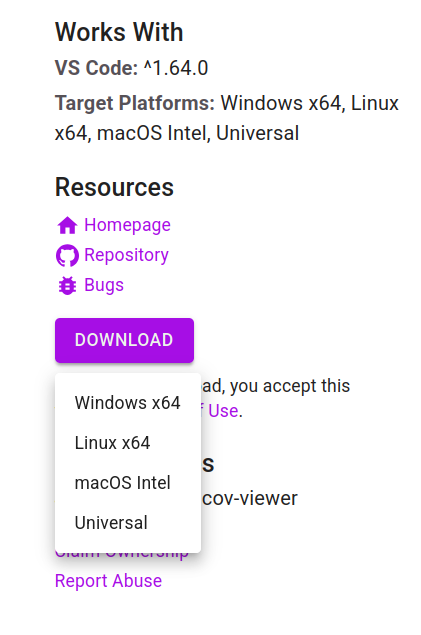
Note that you can also use this method to install Vsix files downloaded from the marketplaces. For that, you need to select the correct binary for your platform:
SuperBOL Studio OSS vs SuperBOL Studio Pack
The SuperBOL Studio OSS extension contains the SuperBOL Studio basic features. OSS stands for “Open-Source Software”, as the extension is open-source: most of the sources are publicly available on Github (allowing to rebuild the .vsix file with public features), and the other sources are provided to SuperBOL’s customers within the “Subscription” contract.
The SuperBOL Studio Pack extension is a “meta extension”: it selects a set of extensions to be installed together. This is usually useful if you want to benefit from our choice of some other extensions that we found useful to use together with SuperBOL Studio OSS.
Currently, SuperBOL Studio Pack includes:
- SuperBOL Studio OSS, of course
- tamasfe.even-better-toml: a mode to edit TOML files, that can typically be used to edit the
superbol.tomlfile for advanced configuration. See https://marketplace.visualstudio.com/items?itemName=tamasfe.even-better-toml
Links to the Extensions Pages
Descriptions on Open-VSX: https://open-vsx.org/
SuperBOL Studio OSS: https://open-vsx.org/extension/OCamlPro/SuperBOL
SuperBOL Studio Pack: https://open-vsx.org/extension/OCamlPro/SuperBOL-studio-pack
Descriptions on Vscode Marketplace:
SuperBOL Studio OSS: https://marketplace.visualstudio.com/items?itemName=OCamlPro.SuperBOL
SuperBOL Studio Pack: https://marketplace.visualstudio.com/items?itemName=OCamlPro.SuperBOL-studio-pack
Sources on Github: https://github.com/ocamlpro/superbol-studio-oss